The visual reference tool built around cinema
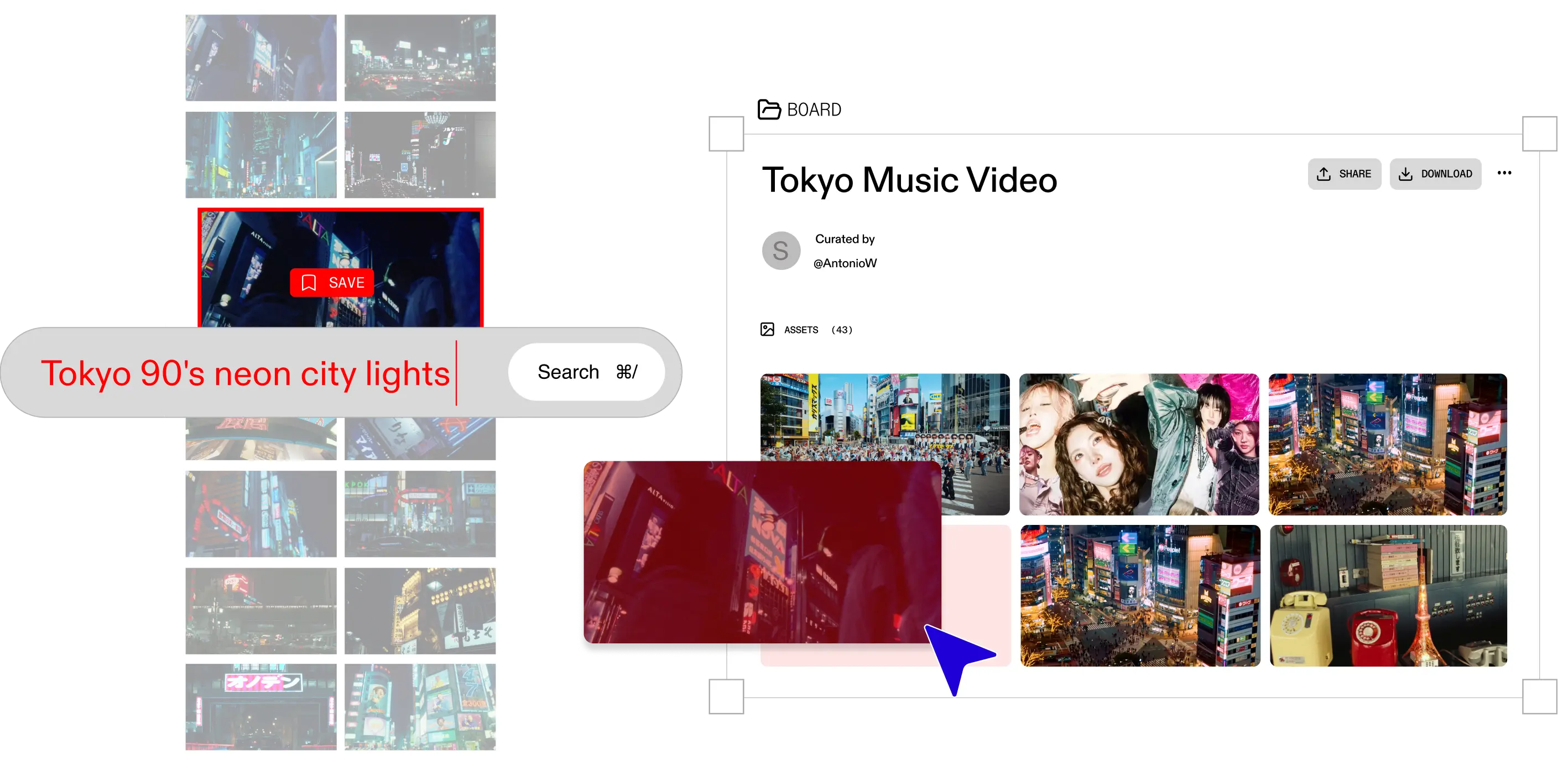
Most visual reference tools solve half the problem. They give you a board to organise your references, but the references you have to find yourself. Browse, screenshot, import, repeat across four browser tabs and two apps. Flim is built differently: the library is already inside. Over two million frames from films, commercials, series, and music videos, all searchable by the description in your head. Find the frame, pin it to a board, share it with your team. The search is part of the tool, not a step you do elsewhere.
The problem with most visual reference tools
Visual reference tools were built around a specific assumption: you already have the images. PureRef lets you float a board above any open window. Refern gives you a canvas to arrange and study what you collect. MindVault positions itself explicitly as a tool for filmmakers and directors, but it is still a container. You fill it.
The actual finding of references, locating the precise frame, the right film, the light from a scene you can only half-describe, remains your problem. You leave the tool. You open a browser. You dig through Pinterest, and a dozen tabs of Google Images. You screenshot. You import. You start the board.
This workflow is so familiar that most creatives have stopped noticing it as friction. But it is. The average visual research session before a pitch or treatment involves more time finding references than building with them. The tool and the library should be the same thing. Flim makes them one.
2 million cinematic frames, AI-searchable
Flim's visual reference library covers films, TV series, commercials, music videos, fashion films, and documentaries. Over two million frames, indexed and searchable, not by metadata tags or technical parameters, but by the description in your head.
The AI Search is semantic. You describe the image you have in mind: overexposed white interior, silence, early 2000s Scandinavian; neon rain, handheld, chase energy; the quality of afternoon light in a kitchen that feels like it holds a secret. Flim returns frames that match the feeling, not just the words. Describe the image you have in mind. Flim finds the frame.
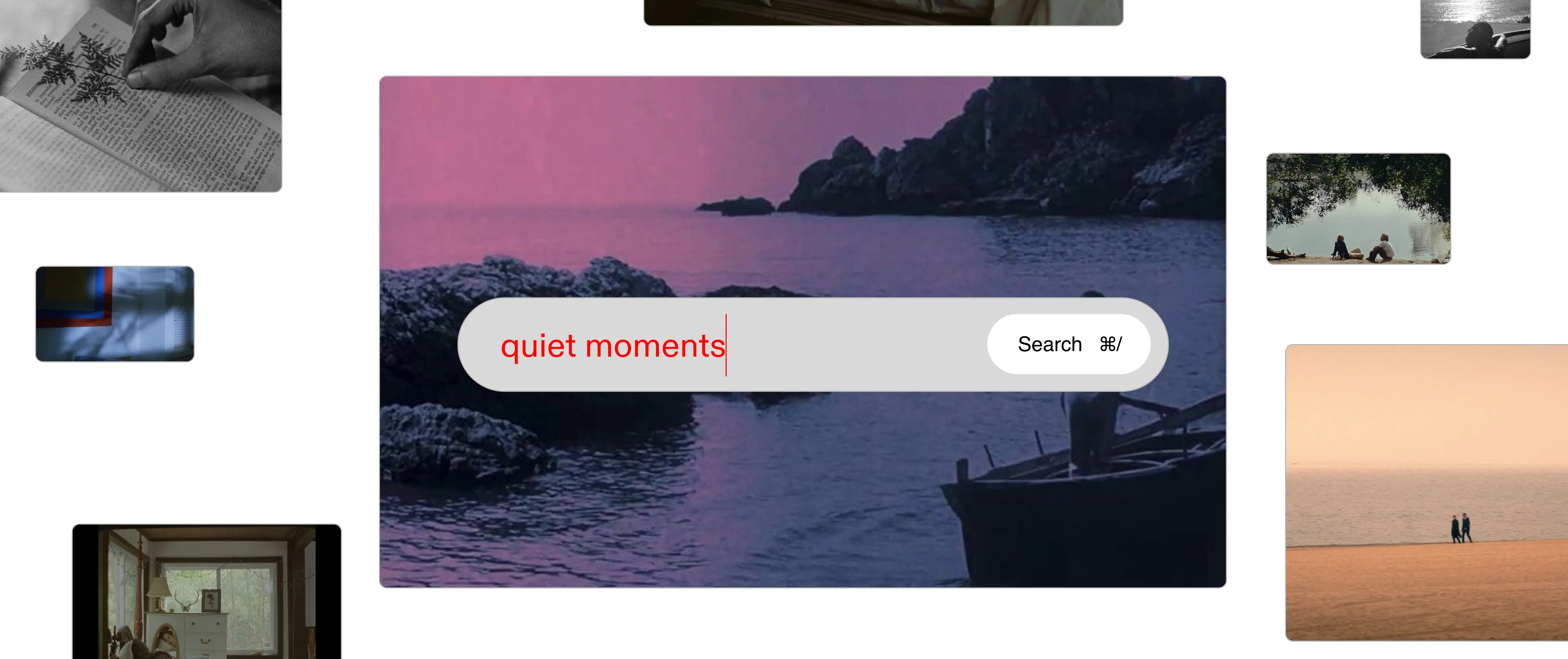
Flim's AI search is built for descriptions, not tags. The frame you are looking for exists. You just need a search engine that understands how creatives think.
The library includes film stills from European art cinema and Hollywood productions, but also from advertising, from music videos shot by directors like Michel Gondry or Hiro Murai, from fashion films where the visual language matters as much as the product. The breadth is what makes it useful for a cinematic moodboard across different industries and formats.
From visual reference to creative brief
Once you have found the right frames, the work becomes building. Flim's board tools are built for professional creative workflows: collect references, organise by section, and share a link before the first meeting.
A visual researcher building a director's lookbook uses Flim to pull the 40 most precise frames from a genre and arrange them by visual register. An art director briefing a photographer drops frames into a board and sends a link. A DOP aligning with a gaffer on the palette for a shoot shares a board that is both precise and fast to build.
Magic Board takes it further. Paste in a script or pitch and Flim assembles a reference board from it automatically, pre-selecting visuals that respect the chronology of the text. A visual pre-production of your narrative, built in seconds. From that board, the Aesthetics feature lets you generate new images in the visual style of any frame you found, with the grain and depth of cinema, not the generic output of a standard AI tool.
A visual brief your team can actually see. Not a folder of screenshots. Not a Notion page with links. A board that holds the whole visual language of a project in one place, shareable with anyone involved.
For those building director treatments specifically, Flim connects directly with that workflow. The ShotDeck alternative for directors who want more than technical metadata is here — and it starts with visual reference, not with filters.
How it works
Type a description, not a keyword. Mood, colour, era, emotional register. AI Search returns matching frames from over two million cinema references, without leaving the platform.
Pin frames to a board. Organise by section, add your own uploaded references alongside Flim's library, and share with your team in one link.
Invite collaborators, share a link, or export. Your visual board becomes the brief that lands before the first meeting and holds the project's visual language together.
Go further
Got
Questions?

Yes. Flim lets you add your own images, screenshots, and files to any board alongside frames from the library. Your uploaded references and Flim's cinematic database sit in the same workspace.
PureRef and refern are local reference organizers: they help you manage images you already have. Flim adds the finding step: a searchable library of over two million cinematic frames that you can pull from directly, without leaving the tool.
Flim's library covers films, TV series, commercials, music videos, fashion films, and documentaries.
Yes. Boards in Flim are designed for exactly this: collecting frames, organising them by section, and sharing with a team or client. The Magic Board feature can generate a reference board from a script or pitch automatically, following the chronology of the text.
Flim integrates Veo, Seedance, and Nano Banana, pre-configured for cinematic output. You can generate images and short video sequences in the visual style of a reference you found in the library.